Android SMS on Mac
Your Android texts. Your Mac keyboard.
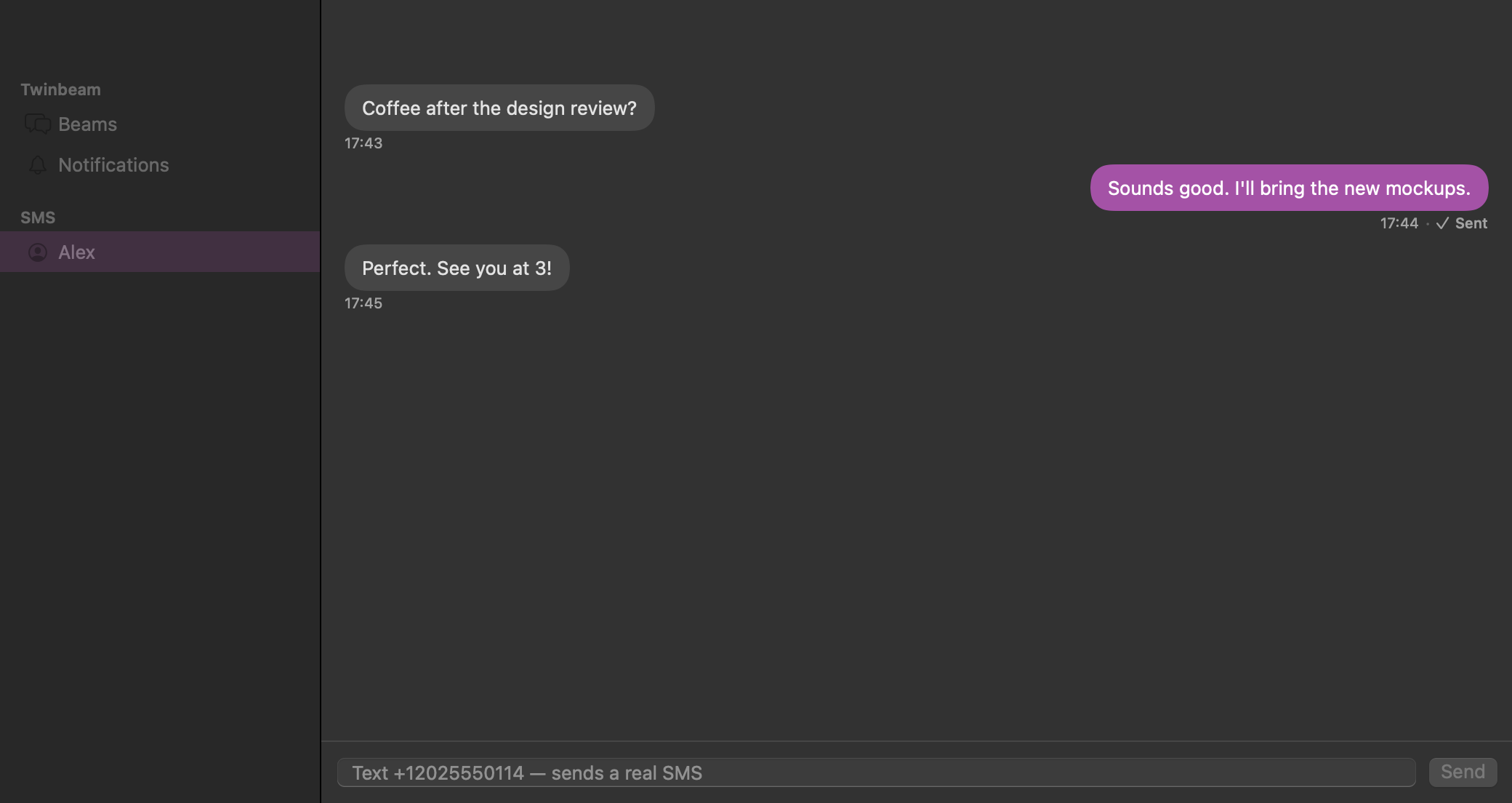
You are working on your Mac when an SMS arrives on Android. Twinbeam brings that conversation to your desktop so you can read it and type a reply without reaching for your phone. The reply is sent by your paired Android, not by a new messaging account.
Pre-launch preview. Android + Mac is the primary pairing; Windows is in testing. Public downloads and paid checkout are not open yet.
How it works
Pair the Mac and Android
Scan the Mac's pairing QR code with Android or use the full pairing token. Pairing shares an encryption key between your devices; it does not require an email address. Keep the invite private.
Enable SMS on the phone
Choose SMS sync during Android setup and grant the requested permissions. Twinbeam needs access to the relevant SMS capabilities to mirror messages and send replies. Installing the Mac app alone is not enough.
Read, compose and reply on Mac
Incoming SMS can appear in the Mac conversation view. You can reply in an existing conversation or start a new one. The encrypted request goes to your Android, which asks the phone's SMS service to send it.
SMS, not a second phone number
Twinbeam does not provide a virtual number or an SMS gateway. Your Android phone and its mobile service remain responsible for sending the message. Recipients receive an ordinary SMS from your phone's number, and your carrier's charges and restrictions still apply.
Your phone must be able to receive the desktop request and send the SMS. Desktop catch-up is not a substitute for an online phone, working mobile service or the required permissions. Do not rely on Twinbeam as an emergency communication service.
What this does not promise
This workflow is Android SMS on Mac. It is not iMessage, WhatsApp, RCS or a promise to reproduce every feature of your phone's messaging app. The phone's existing SMS inbox is not automatically presented as a complete imported archive. Mirroring SMS sent from the phone is optional.
Delivery state also matters: a desktop request is not the same as a carrier delivery receipt. Check the send state rather than assuming a reply reached its recipient simply because you pressed Send.
Private content, visible routing metadata
SMS content sent between paired devices is end-to-end encrypted. The relay does not receive your channel key. The relay still processes routing identifiers, message kinds, timestamps and sizes, and encrypted catch-up history can remain after delivery.
The default Free catch-up window is up to 7 days and 100 messages per channel; Pro extends it to 90 days and 1,000 messages. These are bounded relay history limits, not permanent SMS backups. Copies retained on devices are separate.
Questions before you try it
- Can I send Android SMS from my Mac without an iPhone?
- That is the intended pairing: an Android phone with the native Mac client. Twinbeam is preparing for public release; public downloads are not open yet. An iPhone is not required, and iPhone pairing is not currently supported.
- Can I text when my Android is switched off?
- Your Android must be reachable and able to send the SMS. Twinbeam does not replace your phone with a cloud SMS service or guarantee sending while the phone is offline.
- Does pairing require an email account?
- No. Device pairing uses a QR code or full pairing token. The optional launch email list is separate and is not required for pairing.