Android notifications on Mac
See the ping. Skip the phone check.
A calendar reminder or a message notification should not send you down a phone-shaped rabbit hole. Twinbeam mirrors current Android notifications to your Mac so you can glance at them, dismiss supported notifications on the phone, and return to what you were doing.
Pre-launch preview. Android + Mac is the primary pairing; Windows is in testing. Public downloads and paid checkout are not open yet.
How it works
Pair your own devices
Connect Android and the native Mac client using the pairing QR code or full token. Content is encrypted with the shared channel key before it travels through the relay.
Choose notification mirroring
Enable the feature on Android and grant notification access through the system settings. This permission lets Twinbeam read notifications for mirroring; it is separate from SMS sync and can be controlled independently.
Handle the notification from desktop
Read the mirrored item on Mac. Use Dismiss on Phone to clear a supported notification remotely. If the Android source app exposes a supported quick-reply action, Twinbeam can offer an inline reply.
Current notifications, not a permanent archive
Dismissal works in both directions: dismiss a supported item from desktop to clear it on Android, or clear it on Android to remove it from Mac. The point is to handle the same interruption once, not maintain two unrelated lists.
The notification view represents current Android notifications, not an imported history of everything your phone has ever displayed. Clearing a notification on the phone removes it from the desktop view. You should not treat mirroring as a notification backup or an audit log.
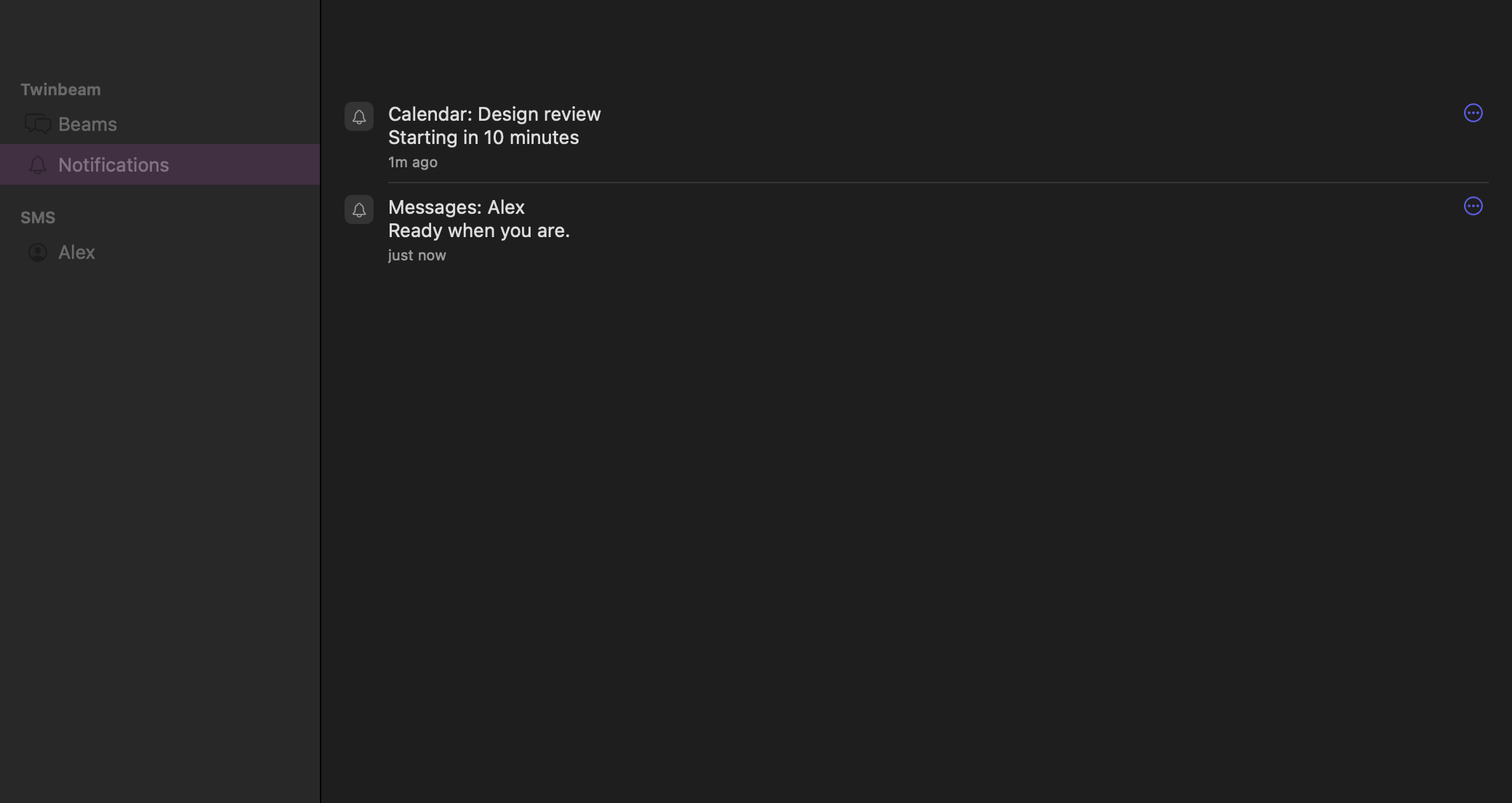
The animated demo illustrates a notification appearing on both devices and being dismissed from the Mac. It uses fictional content and is not a live connection. The separate native screenshot shows the Mac view used by the app.
Quick reply depends on the Android app
A notification containing text is not necessarily replyable. The source app must expose a compatible Android reply action for Twinbeam to offer it. Some notifications are informational, some are grouped, and some actions are not supported.
Notification mirroring does not give the Mac full remote control of the Android app. It does not open every phone screen on desktop or guarantee every button in a notification will be reproduced. For ordinary SMS conversations, the dedicated SMS workflow is the clearer choice.
A deliberate permission and privacy choice
Notification access can expose sensitive text, including private messages and verification codes. Enable it only on a phone and Mac you trust. Protect your pairing invite and the devices themselves; end-to-end encryption cannot protect content already visible on an unlocked or compromised computer.
Notification content is encrypted between devices, while the service can still see routing metadata. Features are optional: you can choose notification mirroring separately from SMS, files and clipboard sharing. Public downloads are not open yet; these pages describe the implemented workflow being prepared for release.
Questions before you try it
- Can I dismiss Android notifications from Mac?
- Twinbeam implements a Dismiss on Phone control for mirrored notifications that can be dismissed. The phone processes the request, and the notification clears from the mirrored view. Your devices need a working connection.
- Can I reply to every app notification?
- No. Quick reply is available only when the source Android app provides a supported reply action. Viewing a notification does not imply that it supports a reply.
- Is this also remote call answering?
- No. Incoming-call controls are a separate feature. Twinbeam can show or decline incoming calls, but answering and call audio stay on your phone.