Android–Mac file transfer
Your file. On the other device.
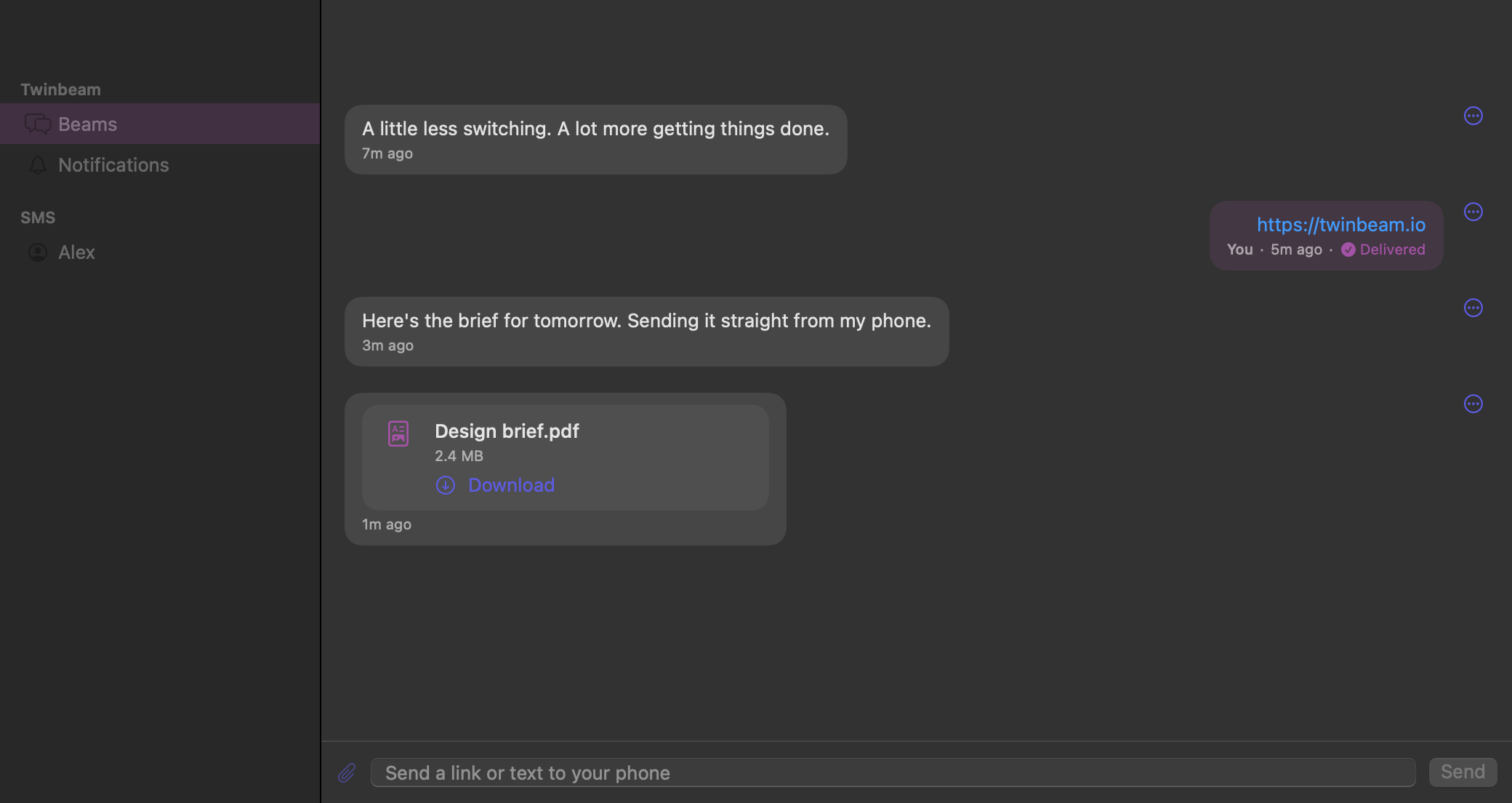
A PDF on your Android belongs in the work you are doing on your Mac, not in an email to yourself. Twinbeam sends files between paired devices with content encrypted before upload. You can also beam links and short pieces of text through the same channel.
Pre-launch preview. Android + Mac is the primary pairing; Windows is in testing. Public downloads and paid checkout are not open yet.
How it works
Pair Android with your Mac
Use the Mac's QR code or full pairing token to join the same encrypted channel. No email account is needed for pairing. The token includes the channel key, so share it only with devices you control.
Choose and send a file
The sending device encrypts file content before uploading it to object storage. The information the receiving device needs to decrypt the file travels inside an encrypted message, not as plaintext file content in the relay.
Download on the other device
The receiving device gets the file message and can download and decrypt the file. Keep an eye on file expiry: availability in cloud storage is temporary, and a downloaded local copy has its own lifecycle.
Across the internet, not just the same Wi-Fi
Twinbeam uses a relay and object storage rather than requiring a direct local-network file transfer. Devices need internet connectivity to send and retrieve files. They do not have to rely on discovery on the same Wi-Fi network.
That design has a trade-off: the service processes technical routing and storage metadata and temporarily stores encrypted file content. It is not a claim that files never touch cloud infrastructure or that all metadata is hidden. For a local-only, file-only workflow, a dedicated local-network sharing tool may be a better fit.
Links use the same paired-device channel: copy a URL and send it as a beam rather than opening an email draft. The native workflow does not imply a browser extension, automatic browser-tab sync or remote browsing; those are not currently available.
Free transfers have real limits
The planned Free tier allows 2 devices, 1 file transfer per rolling 24 hours, up to 10 MiB per file, 50 MiB of active file storage, and 24-hour file expiry. A rolling window is not necessarily a reset at midnight.
The planned Pro tier allows 25 devices, 10 transfers per rolling 24 hours, up to 1 GiB per file, 10 GiB of active storage, and 30-day file expiry. Planned pricing is $59.99 per year or $7.99 per month. Public downloads and paid checkout are not open yet; final availability and terms will be confirmed at launch.
Temporary delivery is not cloud backup
Download files you want to keep before they expire. File availability and message catch-up have different limits: an old message in local history does not guarantee its stored file is still downloadable. Deleting a relay copy also does not delete copies already downloaded onto a device.
End-to-end encryption protects file content, not an unlocked destination computer, a leaked pairing invite or all service metadata. Pair only devices you trust. For the precise processing and retention details, read the Privacy Policy rather than treating the word encrypted as a promise of anonymity.
Questions before you try it
- Do Android and Mac need to be on the same Wi-Fi?
- No. Twinbeam's file workflow uses internet-connected relay and object storage rather than requiring a shared local network. Both devices need connectivity when they send or retrieve the relevant data.
- Is file transfer unlimited on Free?
- No. Planned Free limits are 1 transfer per rolling 24 hours, 10 MiB per file, 50 MiB active storage and 24-hour expiry, with 2 paired devices.
- Can the relay read my files?
- File content is encrypted on the sending device. The relay does not receive the channel key needed to decrypt it, but the service processes routing and upload metadata. Anyone with access to the pairing key or an unlocked paired device may be able to access content.